How to get Discord boosts easily.
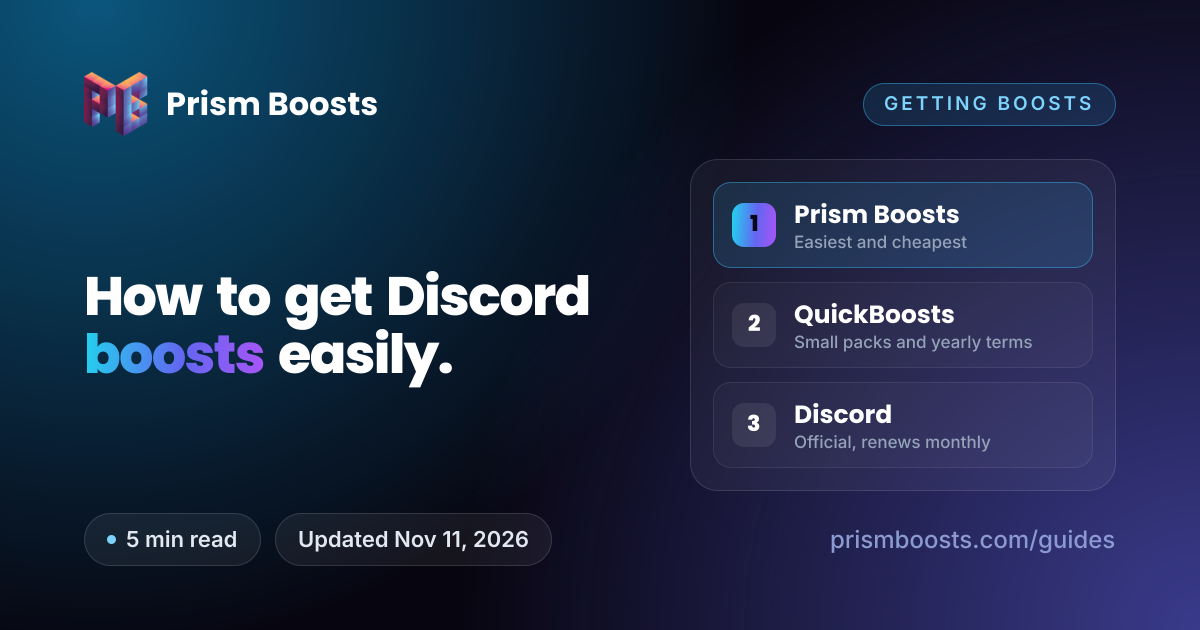
There are three realistic ways to get boosts onto your server. They differ on price, speed and how much you have to manage, and the official route is by far the most expensive.

The three methods at a glance
Prices are for Level 3 (14 boosts), checked on November 11, 2026. Prism Boosts prices update live.
| Prism Boosts | QuickBoosts | Discord | |
|---|---|---|---|
| 14 boosts, 1 month | $6.09 | $6.99 | About $69.86 (14 × $4.99) |
| 14 boosts, 3 months | $15.74 | $20.99 | About $209.58 |
| Renews? | No, one payment | No, one payment | Yes, every boost monthly |
| Delivery | Usually under a minute | Advertised as instant | Instant |
| Smallest order | 8 boosts | 2 boosts | 1 boost |
| Longest term | 3 months | 1 year | Monthly, until you cancel |
| If a boost drops | Warranty replacement on eligible packages | 30-day or 90-day drop warranty, by term | You buy another |
| Best for | Level 2 or 3, fast, no surprises | Level 1 only, or a full year | Boosts you own and can move |
To see what your boost count unlocks, try the Discord boost calculator.
Method 1: Prism Boosts
Prism Boosts is a dedicated boost store. You choose what you want to unlock, and delivery is automatic from there.
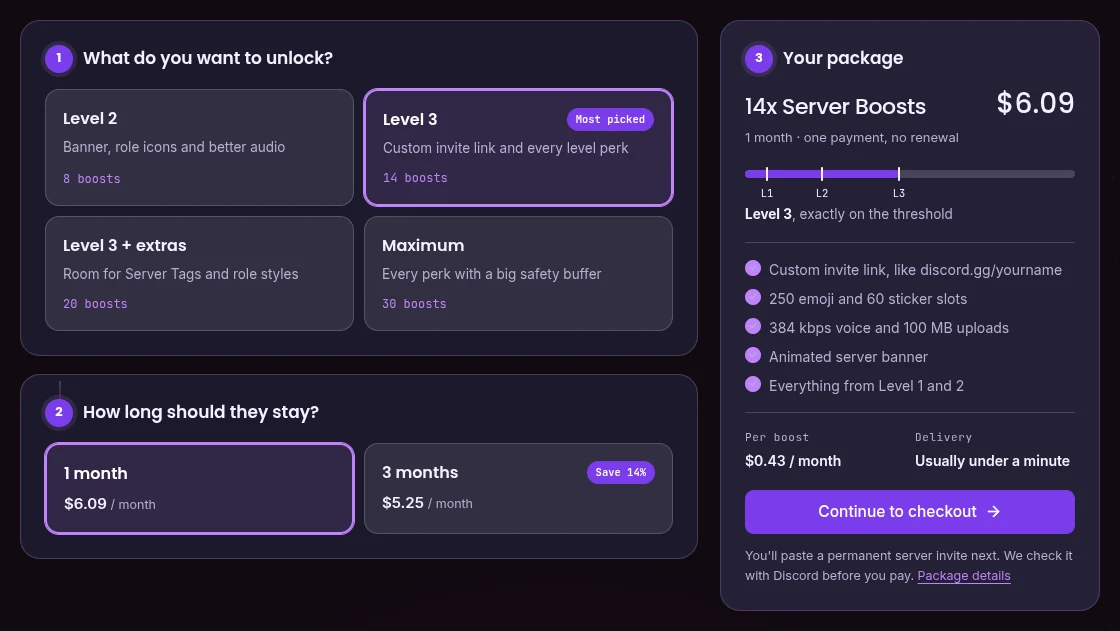
- Open Buy Discord Boosts and pick a goal: Level 2, Level 3, Level 3 with extras, or the maximum.
- Choose 1 month or 3 months. Three months works out cheaper per month.
- Paste a permanent invite to your server. It's checked with Discord before you pay.
- Pay with any of 30+ methods, including cards, PayPal, Apple Pay, Klarna and crypto.
- Boosts start arriving as soon as payment clears, usually within a minute.
Why it's our top pick: it's the fewest steps from "I want Level 3" to Level 3, and it was the cheapest of the three at every package size we compared. Nothing renews, the invite is checked before you pay so a bad link can't waste an order, and eligible packages carry warranty replacement.
Worth knowing: terms are 1 or 3 months only, the smallest package is 8 boosts, and boosts stay on the server you ordered for. A package can occasionally be on hold or out of stock, which the page shows before checkout.
| Package | Price |
|---|---|
| 8x Boosts | $2.09$3.49 |
| 14x Boosts | $3.65$6.09 |
| 20x Boosts | $5.39$8.99 |
| 30x Boosts | $7.85$13.09 |
| Package | Price |
|---|---|
| 8x Boosts | $5.39$8.99 |
| 14x Boosts | $9.44$15.74 |
| 20x Boosts | $13.49$22.49 |
| 30x Boosts | $20.23$33.72 |
Method 2: QuickBoosts
QuickBoosts is another dedicated store that sells boosts alongside Nitro, members and reactions. You pick a pack, paste an invite and your email, and pay.
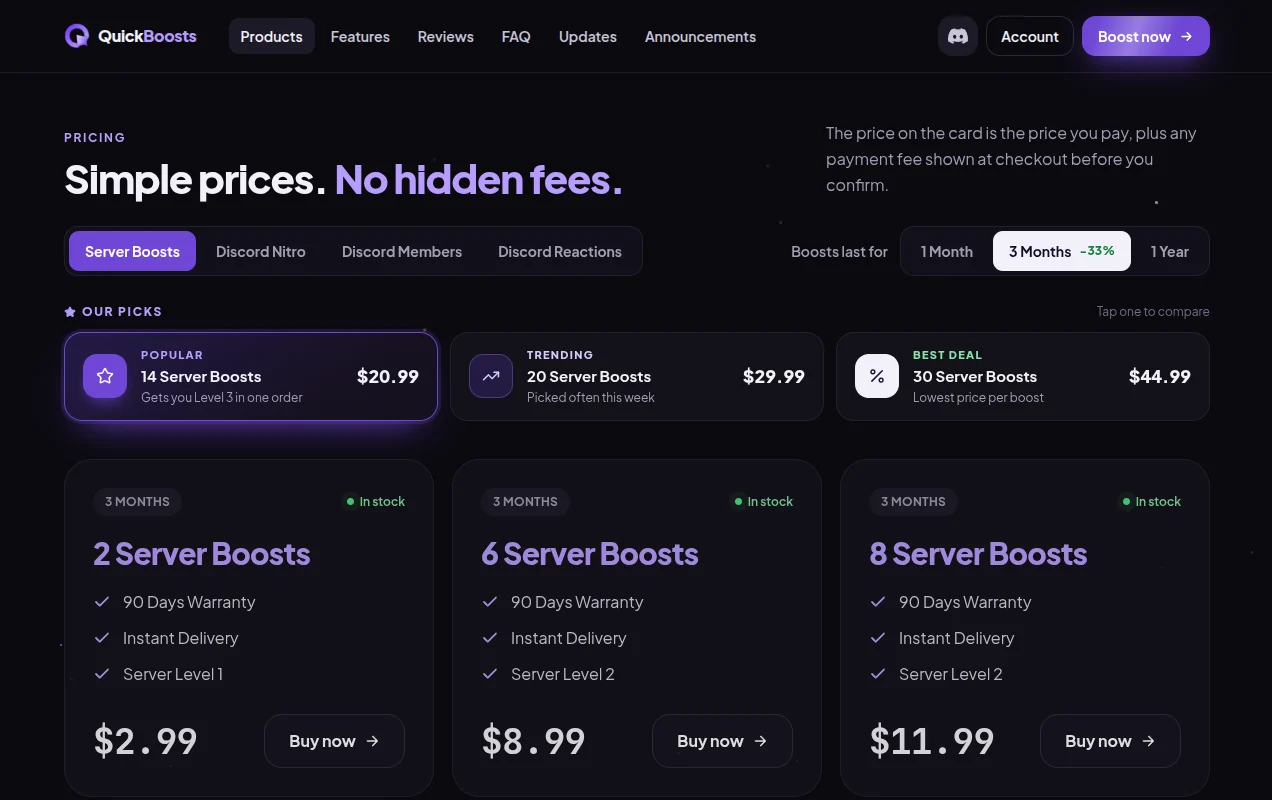
- Open the pricing section and choose a term: 1 month, 3 months or 1 year.
- Pick a pack from 2 to 30 boosts, or build a custom amount.
- Paste your server invite and your email address.
- Pay by card, PayPal, Apple Pay, Google Pay, Cash App or crypto. Any payment fee is added at checkout.
- Follow the order on its tracking page while the boosts apply.
Why people use it: it's the only option here with 1-year terms and 2x and 6x packs, which suits a server that only wants Level 1. Packs carry a drop warranty of 30 days on monthly terms and 90 days on 3-month terms.
Worth knowing: it costs more than Prism Boosts at every size we could compare. On 3-month terms, 14 boosts were $20.99 against $15.74 here, and 8 boosts were $11.99 against $8.99. Every 1-month pack was out of stock when we checked. Also note its 6-boost pack is labelled Level 2, but Level 2 needs 7 boosts, so 6 boosts only reaches Level 1.
Method 3: Discord itself
The official route: you, or your members, buy boosts directly in the app.
- Open your server, select the server name at the top and choose Server Boost.
- Select Boost This Server. If you already own unused boosts, Discord uses them first. Otherwise it asks you to buy one.
- To jump straight to a level, hover over it and select the + button. Buy a Level works out how many boosts you're short and what they cost.
- Confirm the purchase. The boost applies immediately.
Why people use it: the boosts are on your own account. You can move a boost to another server after a 7-day cooldown, boosters get the Server Booster role and a badge, and Nitro subscribers get 2 boosts included and 30% off more.
Worth knowing: every boost is a monthly subscription at a reported $4.99 in the US, so Level 3 is about $69.86 a month, or $51.87 for a Nitro subscriber buying the rest at a discount. Our guide to why Discord charges so much explains why.
Which method should you use?
Level 2 or Level 3
Prism Boosts. The cheapest of the three at every matching size, delivered in about a minute, with nothing to renew or cancel.
Just Level 1, or a whole year
QuickBoosts. The only option here with 2x packs and 1-year terms, at a higher price per boost.
Boosts on your own account
Discord. The most expensive route, but you can move boosts between servers and your members get booster perks.
Whichever you pick, set up a permanent invite and a buffer of spare boosts first, and check how many boosts each level needs so you don't buy one short. For a closer look at more stores, see our best way to get Discord boosts in 2026 comparison.
Common questions
What is the easiest way to get Discord server boosts?
A dedicated boost store. You pick a package, paste a permanent invite link and pay once, and delivery is automatic. At Prism Boosts, boosts usually land within a minute and nothing renews.
Can I get Discord boosts for free?
Not directly, but full Nitro includes 2 boosts. If several members already have Nitro, their included boosts can reach a level at no extra cost: 7 subscribers' boosts make Level 3.
Is QuickBoosts cheaper than Prism Boosts?
No. When we compared them on November 11, 2026, Prism Boosts was cheaper at every package size both stores sell, on 1-month and 3-month terms. QuickBoosts does sell smaller 2x and 6x packs and 1-year terms, which Prism Boosts doesn't.
Do bought boosts work the same as Discord boosts?
Yes. Boosts delivered through an invite are ordinary Discord boosts and unlock the same levels and perks. The difference is who holds them: boost accounts in your server instead of your own account.
Do I need to give my Discord login to get boosts?
No. Every legitimate method needs your server invite link at most. Avoid anyone who asks for your password, token or 2FA code.