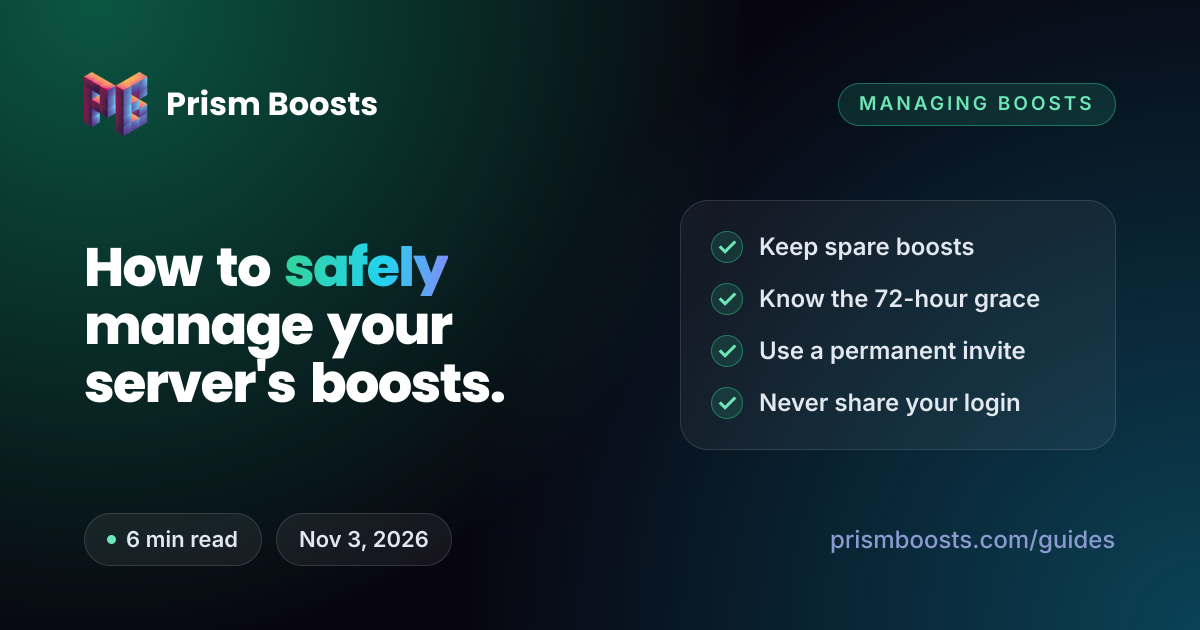
How to safely manage your server's boosts.
Most lost levels are avoidable. Boosts get moved, lapse or land on the wrong perk, and invite links break at the worst moment. A few habits keep all of it under control.

1. Know where your boosts are
Owners and admins with Manage Server permission get a Server Boosts tab at the top of the channel list on desktop. It shows:
- how many boosts the server has, and how many are still available
- the current level and which perks are active
- recent boost activity
From there you can enable additional perks like Server Tags and Enhanced Role Styles, and move boosts between levels and perks. Additional perks can only be set up on desktop.
2. Keep a buffer above each threshold
Level 1 needs 2 boosts, Level 2 needs 7 and Level 3 needs 14. Additional perks need 3 boosts each, separate from the level. A server sitting exactly on a threshold drops the moment one boost goes, and boosts go more often than you'd expect:
- a member cancels their boost, or their Nitro ends and takes its 2 included boosts with it
- a member transfers their boost to another server, which they can do after a 7-day cooldown
- a booster leaves or is removed from the server
- a fixed-term boost package reaches the end of its term
| Goal | Minimum | Comfortable |
|---|---|---|
| Level 2 | 7 | 8 to 9 |
| Level 3 | 14 | 16 to 20 |
| Level 3 with Server Tags | 17 | 20 |
| Level 3 with Server Tags and Enhanced Role Styles | 20 | 22 or more |
3. Know what happens when boosts drop
| What | When it goes | What happens |
|---|---|---|
| Level perks, like emoji slots and the banner | After a 72-hour grace period | Paused until the level is back. Nothing is deleted. |
| Server Tags | Immediately | Removed from member profiles |
| Enhanced Role Styles | Immediately | Roles revert to solid colors |
| Custom invite link | After 30 days below Level 3 | Lost, and the address opens up to other servers |
The server falls to the level its remaining boosts still support. Extra emoji and banners come back when the level does, so you never need to re-upload anything. A gap shorter than 72 hours costs you nothing at the level, but extra perks need their boosts applied again by hand.
4. Make an invite link that never breaks
Almost every way of getting boosts, and every member who joins, depends on an invite that works. Make one that doesn't expire:
- Hover over a text channel and select Create Invite. If you can't see it, your role can't create invites.
- Select Edit invite link.
- Set the expiry to Never and Max number of uses to No limit.
- Leave Grant temporary membership off, or people who join are kicked when they disconnect.
- Select Generate a New Link and copy it.
New invites default to 7 days. Even a permanent invite stops working if someone deletes it or turns on Pause Invites under Server Settings > Invites, and a deleted code can never be recreated, even by Discord Support. Codes are case sensitive, so a mistyped one shows as Invalid.
If you have a custom invite link
At Level 3 you can set an address like discord.gg/yourserver under Server Settings > Boost Perks > Custom Invite Link: up to 25 lowercase letters, numbers and dashes. Keep two things in mind:
- At least one text channel must stay visible to @everyone, or the link shows as invalid.
- Setting one makes the server public: anyone with the address can join.
Keep an ordinary permanent invite too. It keeps working if the server ever loses Level 3 and the custom link with it.
5. Get boosts without putting your server at risk
If you buy boosts from anyone other than Discord, the same rules apply with every seller:
- Only ever share an invite link. No seller needs your password, email, token or 2FA code. Anyone who asks for them is a scam.
- Turn off what would block the boosters. Apply to Join must be off (Server Settings > Access), and anti-raid or verification bots shouldn't kick new members while boosts arrive.
- Don't kick the booster accounts. Removing them removes their boosts.
- Check the warranty before you pay, and what it covers if a boost drops early.
- Keep the order details, and pay with a method that gives you a record.
Our guide to the easiest ways to get boosts compares buying from Discord, a marketplace and a dedicated store.
6. Look after your boosters
If members boost your server themselves, a little care keeps them boosting:
- Boosters get the Server Booster role automatically. You can restyle it, but you can't add or remove people from it by hand.
- You can post a message when someone boosts: Server Settings > Overview > System Messages Channel, then turn on Send a message when someone Boosts this server.
- A booster's badge and streak grow with time. If they stop boosting your server, they have 72 hours to boost another server before the streak resets, and Discord Support can't restore it.
Your checklist
- Open the Server Boosts tab and check every boost is where you want it.
- Keep at least 2 spare boosts above your level, plus 3 for each extra perk.
- Make a permanent invite from a text channel, with no max uses.
- Keep Apply to Join off if boosts or members arrive through invites.
- Note when any fixed-term boosts end, and renew before then.
- Never share login details with anyone offering boosts.
Common questions
How do I see who is boosting my server?
Owners and admins can open the Server Boosts tab on desktop to see the server's boosts, how they're allocated and recent activity. Boosters also get the Server Booster role automatically, so the role's member list shows who is boosting.
How do I move boosts from a level to Server Tags?
Open the Server Boosts tab on desktop and reallocate them there. Moving boosts away from a level starts its 72-hour grace period, so make sure you'll still have enough for the level you want to keep.
Will my server lose everything if boosts run out?
No. It drops to the level its remaining boosts support. Level perks pause after 72 hours but aren't deleted, and they return when the level does. Server Tags and Enhanced Role Styles stop at once, and a custom invite link is lost after 30 days.
Is it safe to buy boosts from a website?
It depends on the seller. A legitimate one only needs your server's invite link, never your account login, and should offer a warranty if boosts drop early. Avoid anyone asking for a password, token or 2FA code.
Why did my permanent invite stop working?
Usually someone deleted it, or invites were paused under Server Settings > Invites. Codes are also case sensitive. A deleted code can't be brought back, so make a new invite.